Change your password in My Account
If you already know the password for your TPG account, you can change it at any time in My Account.
Forgotten your password? Please see How to reset a forgotten password instead.
-
Log in to My Account and hit Change Your Password.
Never used My Account before? Check out An Introduction to My Account.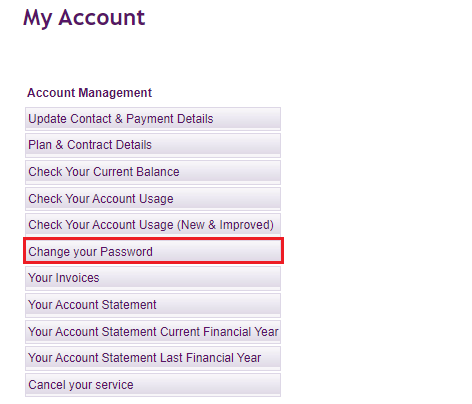
-
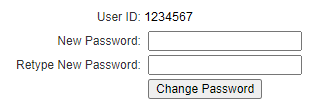
Enter your new password in the New Password and Retype New Password boxes, then hit Change Password.
Passwords must be 8-15 characters long, have both a lower case and uppercase letter and contain at least one number (0-9).
You can also use any of the following characters: ` ~ ! @ # $ % ^ & * ( ) _ + - = { [ } ] \ | ; , . / : < > ?
Passwords can't be based on your username or contain any spaces.