Changing your internet plan in My Account
You can change your internet plan at any time in My Account.
Note: If you downgrade your plan while your data usage is greater than the total quota of your new plan, your internet speed will be shaped. It's best to wait until your next billing period when your quota has reset.
-
Log in to My Account.
Never used My Account before? Check out An Introduction to My Account. -
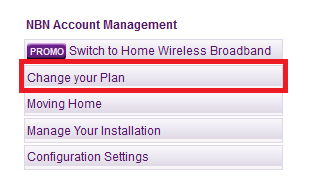
Under NBN Account Management, hit Change your Plan.
-
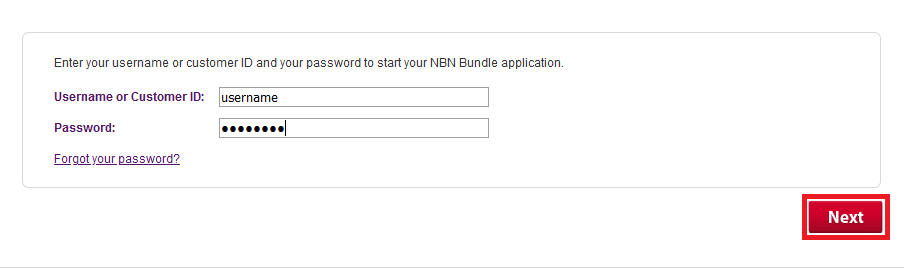
Enter your Username or Customer ID and Password, then hit Next.
-
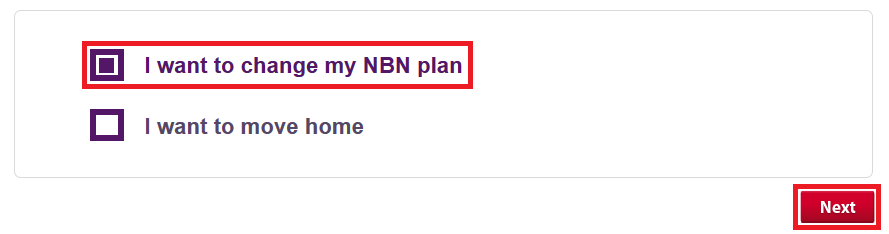
Tick the box for I want to change my NBN plan and hit Next.
-
Choose your new internet plan.
You can select any available add-ons or bundling options here. - Hit Next and follow the prompts to complete your plan change request.
Any amount you've paid in advance for your current plan will be credited back to your TPG account, and you’ll be invoiced for that time at the rate for your new plan instead.