Older TPG Modem Guides
These guides will help you set up older TPG modems.
Don't have a TPG modem? Check out BYO Modem Setup Guides.
Choose your modem
| Picture | Modem |
|---|---|
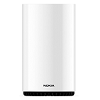
|
Nokia FastMile 3.2 5G Modem |
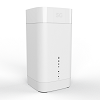
|
Sagemcom 5866 5G Modem |
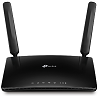
|
TP-Link MR600 Modem |
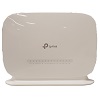
|
TP-Link VR1600v Modem |

|
Modem not listed here? See Current TPG modems. |
Nokia FastMile 3.2 5G Modem
More guides
Sagemcom 5866 5G Modem
More guides
TP-Link MR600 Modem
TP-Link VR1600v Modem
Choose which type of internet you have - this will be mentioned in emails from us about your order:
- Set up nbn FTTP
- Set up nbn FTTC
- Set up nbn FTTB/N
- Set up nbn HFC
- Set up nbn Wireless
- Set up TPG FTTB
More guides
- Change your Wi-Fi password
- Change your modem password
- Factory reset your modem
- Note: WPS is turned off by default. It can be turned on at http://192.168.1.1. Just log in and hit Advanced > Wireless > Advanced Settings, then tick Enable for WPS and Save.